
Microsoft Access vs SQL Server: Which Is Right for Your Business in 2026?
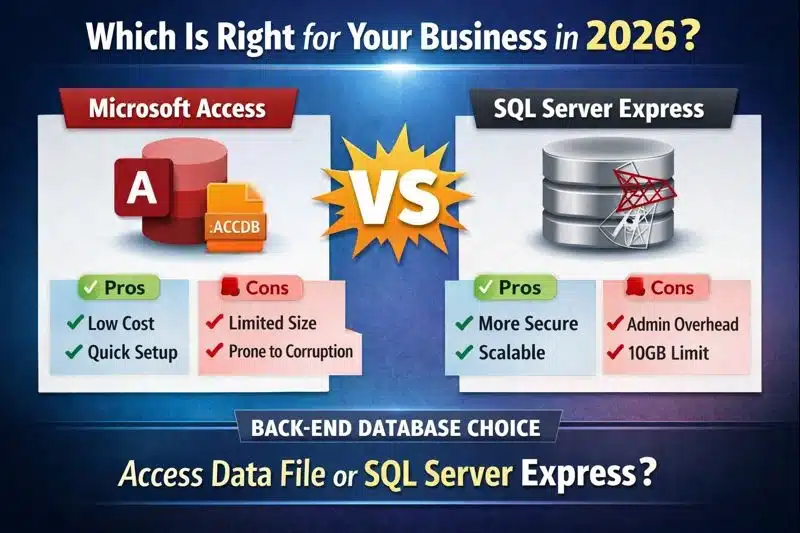
Choosing between Microsoft Access and SQL Server is one of the most important technology decisions for growing businesses. If you are already evaluating an Upgrade from Access to SQL Server, understanding the strengths, limitations, and long‑term implications of each platform is essential.
This comparison focuses strictly on the database back‑end — the data layer that determines performance, scalability, security, and multi‑user reliability.
The Real Comparison: Database Back-End Choices
This article compares the two most common Access back‑end options:
- Microsoft Access (.accdb) — file‑based database
- SQL Server Express — free, client‑server database engine
For a deeper overview of SQL Server integration, see our SQL Server Integration for Microsoft Access.
Microsoft Access as a Database Back-End
Advantages
- Fast deployment
- No server required
- Low cost — included with many Microsoft 365 plans
- Simple for small teams
- No IT involvement needed
- Easy to modify and enhance
- No SQL Server experience required
Disadvantages
- Performance degrades as users and record counts increase
- Higher corruption risk due to file‑based architecture
- Limited security and auditing
- Not designed for cloud or remote access
- Design changes require all users to disconnect
For multi‑user stability guidance, review our Multi‑User Microsoft Access Best Practices.
To reduce corruption risk in Access back‑ends, review Prevent Microsoft Access Database Corruption.
SQL Server Express as a Database Back-End
Advantages
- Free from Microsoft
- Excellent multi‑user performance
- True client‑server architecture
- Advanced security and permissions
- Reliable backup and recovery
- Strong data integrity with transactions and error handling
- SQL Server Management Studio (SSMS) available free
- High reliability and uptime
Disadvantages
- Limited to 10 GB per database in SQL Server Express
- Requires server administration
- Requires SQL Server knowledge (different from VBA)
For organizations planning a migration, see our Access → SQL Server Migration Guide.
For integration architecture, see SQL Server Integration for Microsoft Access.
Access vs SQL Server Express Comparison
| Feature | Access | SQL Server Express |
|---|---|---|
| Architecture | File-based | Client-server |
| Multi-user | Limited | Strong |
| Security | Basic | Advanced |
| Scalability | Low | Moderate |
| Cost | Included | Free |
For performance tuning tips, see our Microsoft Access Performance Checklist.
For indexing improvements that benefit both platforms, see Access Table Indexing Best Practices.
Who Should Use Microsoft Access vs SQL Server?
| If You Need... | Recommended Solution |
|---|---|
| Single user database | Microsoft Access |
| Small office (2–10 users) | Access with proper Front-End/Back-End split |
| Growing business | Access Front-End + SQL Server Express Back-End |
| Large databases | SQL Server |
| High security requirements | SQL Server |
| Remote users | SQL Server |
| Cloud deployment | SQL Server or Azure SQL |
Which Should You Choose?
For many organizations, the best long‑term solution is a hybrid approach:
Keep Microsoft Access as the front‑end and migrate the data layer to SQL Server.
This approach preserves your existing Access application while dramatically improving performance, security, and reliability — without disrupting users.
Next step: Learn how a properly planned migration eliminates performance issues while preserving your Access front‑end.
For a complete migration roadmap, see Access to SQL Server Migration – Best Practices & Pitfalls .
Frequently Asked Questions
Is SQL Server faster than Microsoft Access?
Yes. SQL Server is significantly faster than Microsoft Access for large databases and multi-user environments. SQL Server processes queries on the server, reducing network traffic and improving performance as your data grows.
Should I replace Microsoft Access with SQL Server?
Not necessarily. Many organizations keep Microsoft Access as the user interface while moving only the database tables to SQL Server. This hybrid approach provides the best balance of performance, scalability, and cost while preserving your existing application.
Can Microsoft Access connect to SQL Server?
Yes. Microsoft Access can link directly to SQL Server tables using ODBC connections, allowing users to continue using familiar forms, reports, and VBA while benefiting from SQL Server's reliability and performance.
Is SQL Server Express really free?
Yes. SQL Server Express is a free edition of Microsoft SQL Server that supports databases up to 10 GB. It includes many of the same core database features found in paid editions, making it an excellent choice for many small and medium-sized businesses.
How many users can Microsoft Access support?
While Microsoft Access technically supports many concurrent connections, practical performance depends on database design, network quality, and workload. Most organizations with more than 10 active users benefit from migrating the back-end database to SQL Server.
When should I migrate from Access to SQL Server?
Consider migrating when your database approaches the 2 GB file limit, users experience slow performance, record locking becomes common, or your organization requires stronger security, auditing, and scalability.
Can I keep my existing Access forms and reports?
Yes. In most migrations, your existing forms, reports, queries, and VBA code remain in Microsoft Access while only the data tables are moved to SQL Server. This minimizes user disruption and reduces redevelopment costs.
What are the biggest advantages of SQL Server over Access?
SQL Server provides better multi-user performance, stronger security, larger database capacity, automated backups, transaction processing, and significantly lower corruption risk than a file-based Microsoft Access database.
Can SQL Server eliminate Microsoft Access database corruption?
Moving the data to SQL Server eliminates the most common causes of Access back-end corruption because SQL Server uses a true client-server architecture. Users continue working in Access while SQL Server safely manages the data.
Does migrating to SQL Server require rewriting my Access application?
Usually not. Most Access applications can continue using the existing forms, reports, and VBA code after the tables are migrated to SQL Server. Some queries may require optimization, but a complete rewrite is rarely necessary.
Free Database Architecture Review
Not sure which option is right for your business? We specialize in designing and implementing Access → SQL Server migration strategies that scale with your organization.
Schedule a Free Database Review