
Why Consolidating Multiple Microsoft Access Databases Makes Sense
Published Feb 2, 2026
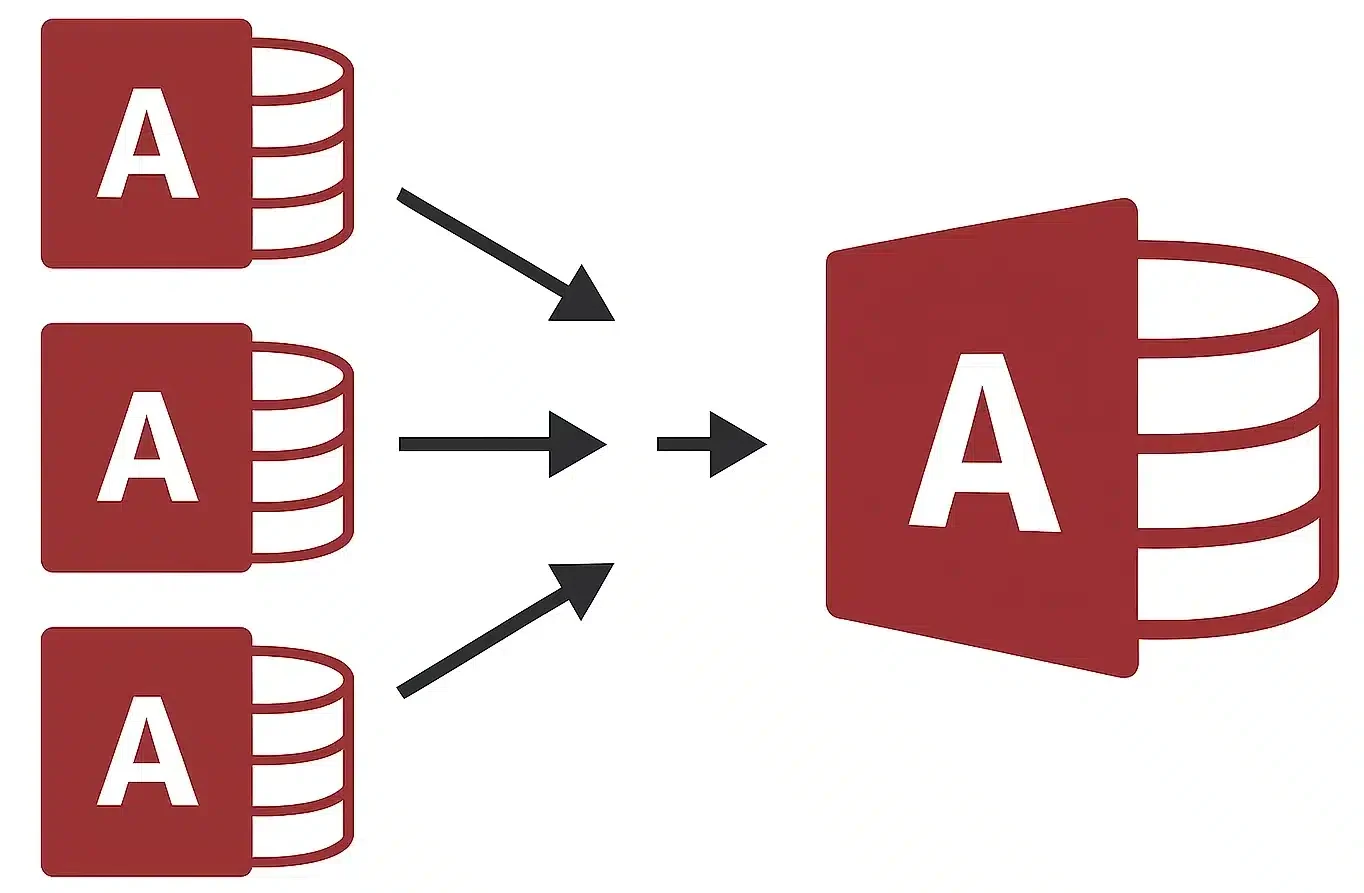
Many organizations rely on Microsoft Access for departmental data management. Over time, this often leads to multiple standalone databases — each with its own tables, forms, queries, and workflows. Consolidating these databases into a unified, multi‑user system improves efficiency, strengthens data integrity, and reduces long‑term maintenance costs.
For multi‑user best practices, see our Microsoft Access Multi‑User Guide.
Introduction: The Challenge of Managing Multiple Access Databases
Separate Access databases may seem convenient at first, but they quickly create data silos, inconsistent reporting, duplicated effort, and increased maintenance. Consolidating these systems into a single, well-designed Access application — or into an Access front-end with a SQL Server back-end — resolves these issues and provides a scalable foundation for growth. Organizations supporting multiple users should also follow Microsoft Access Multi-User Best Practices.For performance considerations during consolidation, review the Microsoft Access Performance Checklist.
Cost Savings
Maintaining multiple Access databases increases licensing, storage, and administrative overhead. A unified database reduces infrastructure requirements and simplifies support. Centralized management also reduces the cost of backups, updates, and troubleshooting.
For long‑term scalability and reduced maintenance, consider SQL Server Integration for Microsoft Access.
Improved Efficiency
Consolidation streamlines data access and eliminates the need to switch between multiple systems. Users benefit from:
- A single source of truth
- Consistent workflows and data entry standards
- Reduced duplication and rework
- Improved collaboration across departments
Standardized processes are easier to implement and maintain in a unified system, especially when supported by automated Microsoft Access deployment.
Efficient indexing also improves consolidated database performance. See Access Table Indexing Best Practices.
Reduced Maintenance Efforts
Multiple databases require separate backups, updates, and troubleshooting. A consolidated system allows administrators to maintain one environment instead of many, reducing errors and simplifying ongoing performance optimization.
Consolidation also reduces corruption risk. Learn more in Prevent Microsoft Access Database Corruption.
Enhanced Data Security
A single database makes it easier to enforce consistent security policies, including:
- User authentication and role‑based permissions
- Centralized auditing and logging
- Encryption and secure storage
Many organizations also implement Trusted Locations in Microsoft Access to improve application security while eliminating unnecessary security prompts.
Consolidation reduces the risk of unauthorized access and ensures sensitive information is protected.
For a full security checklist, see our Access Security Hardening Guide.
For broader security strategies, see Microsoft Access Database Security Guidelines.
Scalability for Future Growth
As organizations grow, their data requirements expand. A consolidated Access database — especially when paired with a SQL Server back‑end — can scale to support:
- More users
- Larger datasets
- More complex workflows
- Integration with other systems
This provides a long-term, future-proof solution that can eventually support custom Microsoft Access applications tailored to evolving business processes.
For migration planning, see Access to SQL Server Migration – Best Practices & Pitfalls .
Simplified Reporting and Analytics
Consolidated data enables accurate, organization‑wide reporting. Users can build queries and dashboards that span departments, improving visibility and decision‑making.
With all data in one place, reporting becomes faster, more reliable, and easier to maintain while improving database performance.
Consolidated reporting also benefits from proper multi‑user configuration. See Microsoft Access Multi‑User Best Practices.
Better Compliance and Auditing
Organizations subject to regulatory requirements benefit significantly from consolidation. A unified database simplifies:
- Audit trails
- Change tracking
- Access monitoring
- Record retention
Centralized management also reduces the cost of backups, updates, and troubleshooting while making backup and disaster recovery significantly easier.
For managing controlled documents and audit records, see Document Control Software.
Streamlined User Training and Support
Training users on a single system is far more efficient than supporting multiple databases. A consolidated Access application reduces the learning curve and simplifies support for IT and administrators.
Organizations also benefit from standardized deployment procedures using Microsoft Access Runtime and automated front-end updates, reducing support calls and ensuring every user runs the latest version.
Steps to Consolidating Access Databases
- Assess Existing Databases: Identify all standalone Access databases, document their purpose, size, structure, and relationships, and note overlapping or redundant data.
- Plan the Unified Database Structure: Design a consolidated schema with standardized tables, relationships, indexes, and permissions that support all departments.
- Back Up All Databases: Always back up every database before making structural or data changes.
- Normalize and Clean Data: Standardize naming conventions, remove duplicates, and ensure data integrity across all sources.
- Create a Multi-User Front-End/Back-End Architecture: Split the database into a back-end containing tables and a front-end containing forms, queries, and reports. Follow Access Front-End Deployment Best Practices to deploy a local front-end for each user.
- Merge Tables and Data: Import or append data from each standalone database into the unified schema. Resolve conflicts, duplicates, and mismatched field types.
- Rebuild Queries, Forms, and Reports: Consolidate logic into a single, standardized application. Remove redundant objects and modernize outdated designs.
- Implement Security and Permissions: Apply role‑based access, user groups, and auditing controls to protect sensitive data.
- Test Thoroughly: Validate workflows, reports, queries, and multi‑user performance before deployment.
- Deploy and Train Users: Roll out the new system, provide training, and monitor performance during the transition.
For deployment guidance, see our Access Front‑End Deployment Best Practices.
For deployment environments, review the Microsoft Access Runtime Deployment Guide.
Signs You've Outgrown Multiple Microsoft Access Databases
Many organizations reach a point where maintaining several independent Access databases becomes more expensive than consolidating them. Common warning signs include:
- Employees entering the same information into multiple databases
- Inconsistent reports between departments
- Difficulty determining which database contains the latest information
- Growing maintenance costs for updates and support
- Frequent import/export operations using Excel
- Performance problems as databases continue to grow
- Increasing demand for company-wide reporting
If several of these challenges sound familiar, consolidating your databases into a unified Microsoft Access application—or migrating the data to SQL Server—can significantly improve accuracy, reporting, and long-term scalability.
When to Consider SQL Server
If your consolidated database grows beyond Access’s limits, SQL Server Express or full SQL Server is the natural upgrade path. Benefits include:
- Better concurrency
- Reduced database corruption
- Improved security
- Larger database capacity
- Improved backup and recovery
- Higher performance for reporting
Learn more in our Access → SQL Server Migration Guide.
For integration architecture, see SQL Server Integration for Microsoft Access.
Need Help Consolidating Microsoft Access Databases?
We specialize in consolidating Access databases, optimizing performance, and designing scalable multi‑user systems — including SQL Server upgrades when needed.
Request an Access Consolidation Review